Example: Sunday 4 October · all-in price, c/kWh
Cheapest quarter hour: 23:45.
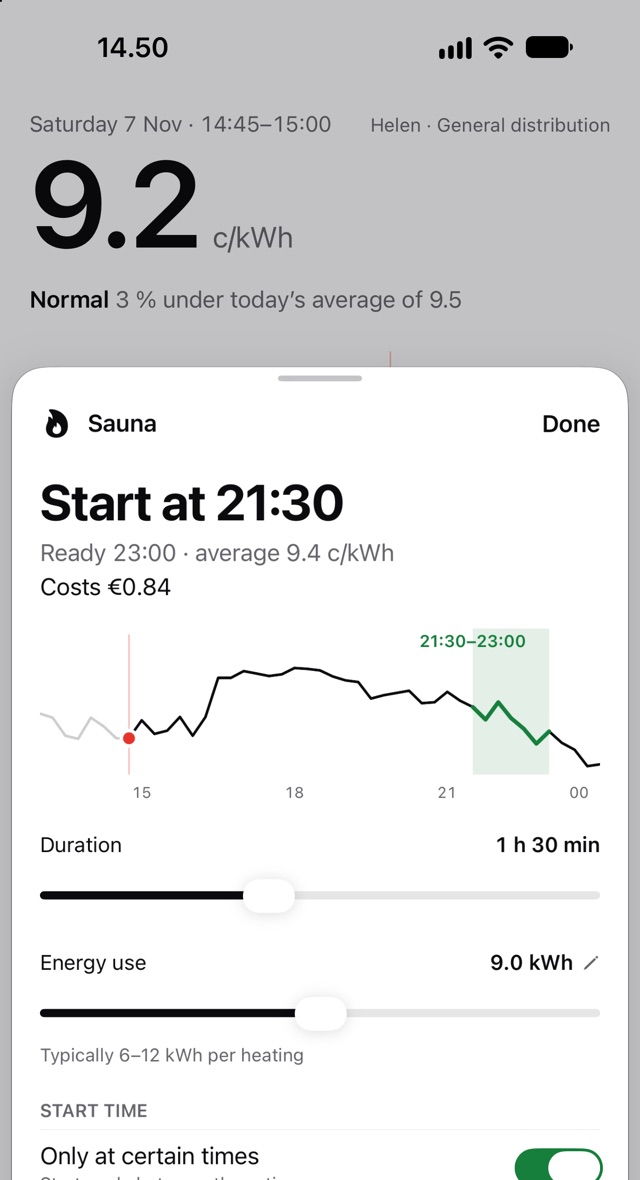
Wartti works out your real electricity price for every quarter hour: spot, margin, transfer and tax. It tells you the cheapest time before you think to ask.
Coming to the App Store · free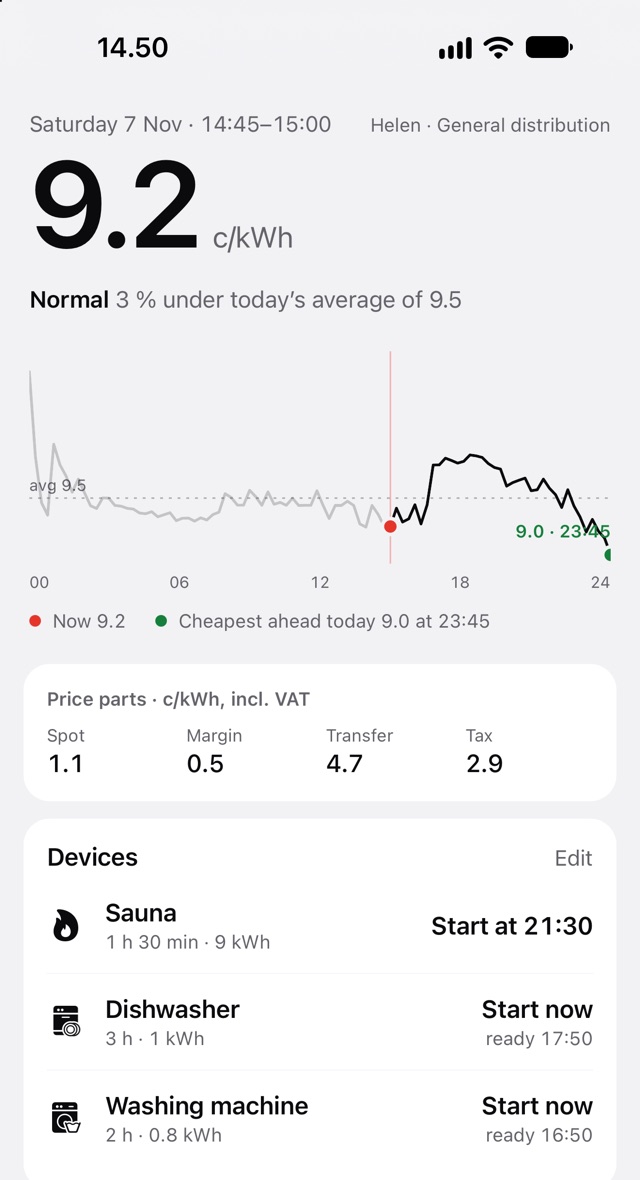
No account, no ads, no tracking.
Support and FAQ
Where do I find my margin?
In your spot-price contract or on your electricity seller's bill. It may also be called a commission or margin, in cents per kilowatt-hour (c/kWh). Enter it with VAT.
Where do I find my transfer product?
On your grid operator's bill: for example general, time-of-use or seasonal transfer. The grid operator delivers electricity to your home and isn't necessarily your electricity seller.
My grid operator isn't on the list.
Choose "Other grid operator" and enter the transfer fee from your bill, either one price or day and night prices. Send your operator's name to hello@wartti.app and we'll add it.
Why does the price differ from my bill?
Wartti's prices are estimates. Differences can come from rounding or price changes. Monthly fixed fees are shown separately and not spread into the quarter-hour price, and some operators' power fees aren't included.
When are tomorrow's prices out?
Usually around 14:00 Finnish time. The notification comes as soon as they're available.
How do price alerts work?
Settings → Price alerts: pick a limit your all-in price drops below (cheap power) or rises above (expensive power). The alert comes 15 minutes before. Nothing wakes you at night: night-time stretches are announced at 21:45.
How do I add a widget?
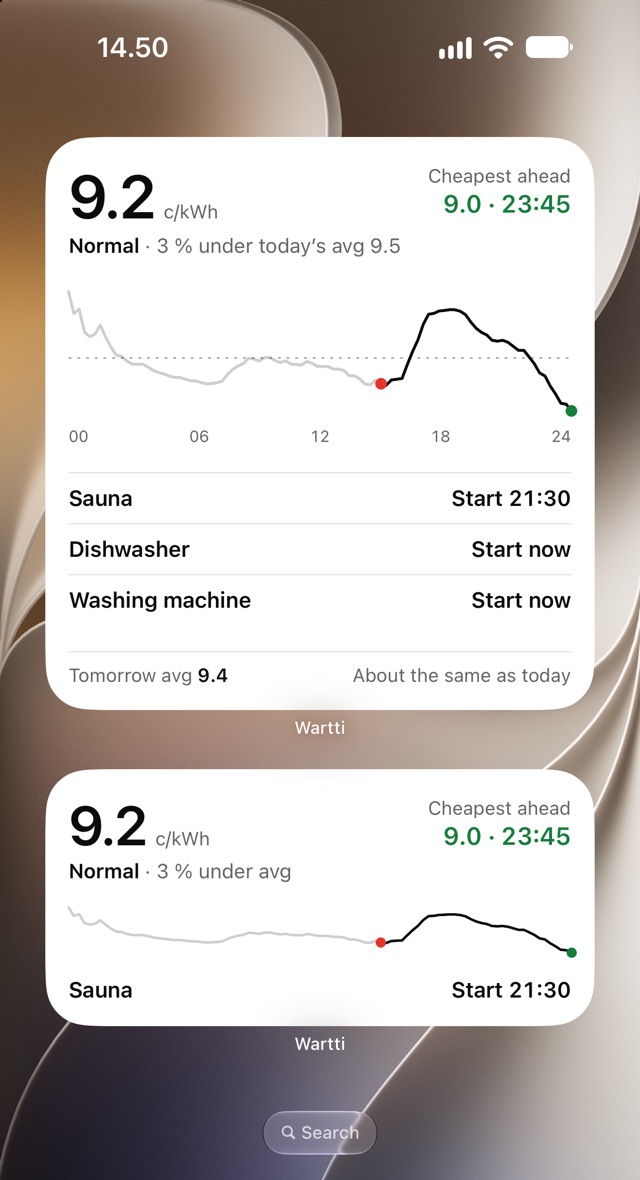
On the Home Screen: touch and hold an empty spot, tap Edit → Add Widget and choose Wartti. On the Lock Screen: touch and hold it, tap Customize, choose the Lock Screen and tap the widget area. The widget fetches prices itself, so it stays current even if you don't open the app.
How do I turn off notifications?
In Wartti: Settings → Notifications and Price alerts → off. Once they're all off, the data stored for them is deleted from the server.
Does Wartti cost anything?
No. Wartti is free.
Other questions: hello@wartti.app